

![Comparing Eleven Labs, Murf Ai, And Synthesia The Ultimate Guide T [aitoolsandguides.org]](https://aitoolsandguides.org/wp-content/uploads/2025/02/Comparing-Eleven-Labs-Murf-AI-and-Synthesia_-The-Ultimate-Guide-t_-aitoolsandguides.org_-5-96x100.png)
Unlocking the Power of Submagic for Faceless YouTube Channels
-
- February 26, 2025

Let’s be honest: stepping into the world of content creation, especially YouTube, can feel incredibly daunting. For years, I wrestled with the idea. I had knowledge to share, stories to tell, passions I wanted to explore publicly. But the thought of putting my face out there? That was a major hurdle. Call it shyness, a desire for privacy, or simply wanting the focus to be purely on the *content* – whatever the reason, the on-camera life just didn’t feel right for me.
Then I discovered the burgeoning world of faceless YouTube channels. It felt like a revelation! Here was a way to connect with an audience, build a community, and share value, all without the pressure of becoming a “personality”. The possibilities seemed endless: intricate tutorials, deep-dive analyses, calming meditation guides, thrilling true crime narratives… the list goes on. It offered this perfect blend of creative expression and personal anonymity.
But enthusiasm quickly met reality. Creating compelling video content, even faceless, is *hard work. Scripting, finding engaging visuals, editing, adding effects, optimizing for the platform – it felt like juggling chainsaws while riding a unicycle. My early attempts were clunky, time-consuming, and frankly, not very engaging. I was spending hours wrestling with complex editing software, sourcing mediocre stock footage, and painstakingly adding captions. The dream felt like it was slipping away, buried under tedious technical tasks. I needed a better way. I needed a tool that understood the unique demands of faceless content creation. That’s when I stumbled upon Submagic, and honestly, it didn’t just change the game – it felt like it rewrote the entire rulebook for me.
The Silent Revolution: Why Faceless YouTube Channels Are Exploding
Before we dive into *how* Submagic helped, let’s appreciate *why* this faceless approach is resonating so powerfully. It’s not just a niche trend; it’s becoming a significant part of the YouTube landscape. Why?
- Focus on Value, Not Vanity: Creators can pour all their energy into research, storytelling, and delivering high-quality information or entertainment without worrying about appearance, camera presence, or elaborate sets. For my tech review channel idea, this was crucial – I wanted people to trust my insights, not judge my haircut.
- Privacy in a Public World: In an age of oversharing, maintaining anonymity is appealing. Faceless channels allow creators to share expertise (like finance, health, or sensitive personal stories) without exposing their personal lives.
- Overcoming Camera Shyness: Let’s face it, not everyone is comfortable in front of a camera. Faceless channels democratize content creation, giving a platform to knowledgeable and creative individuals who might otherwise stay silent.
- Universality and Timelessness: Content often feels more universal when it isn’t tied to a specific person’s face. An animated explainer or a video using stock footage can sometimes resonate more broadly and age better.
- Scalability: In some niches, particularly those involving animation or screen recordings, faceless content can be produced more efficiently and consistently, potentially allowing for faster channel growth.
I saw channels dedicated to history, using maps and archival footage, gain massive followings. Meditation channels with soothing visuals and calming voiceovers thrived. Even complex subjects like coding or philosophy found huge audiences through clever animation and screen recordings. The common thread? Engaging content, well-presented, where the *message* was the star. This realization solidified my resolve: I *could* do this, but I needed the right toolkit.
My Pre-Submagic Nightmare: Drowning in Editing Hell
Let me paint you a picture of my early days trying to create a faceless YouTube channel. Hours hunched over traditional video editing software, eyes burning, drowning in timelines cluttered with tiny clips. Finding good, relevant B-roll footage felt like searching for a needle in a digital haystack – and the licensing! Don’t get me started on navigating the complexities of usage rights.
Then came the captions. Oh, the captions! Essential for engagement, especially for faceless YouTube shorts viewed on mobile with the sound off, but incredibly tedious to create manually. Typing everything out, timing each line perfectly, trying to make them look visually appealing… it took *forever*. My output was slow, the quality inconsistent, and the frustration immense. I almost gave up multiple times, convinced that creating high-quality faceless content was simply too demanding for a solo creator like me.
Discovering Submagic: The “Aha!” Moment That Changed Everything
I think I found Submagic through a forum discussion or maybe a recommendation from another creator – the memory is a bit hazy because the relief that followed was so immense. Initially, I was skeptical. “AI-powered video creation”? It sounded almost too good to be true. Another tool promising the world but delivering complexity? But the focus on features specifically for short-form content and captions caught my eye. Faceless channels often rely heavily on dynamic visuals and text to keep viewers hooked, especially in formats like Shorts, Reels, and TikToks. Maybe, just maybe, this was different.
I decided to give it a try, drawn in by the promise of faceless YouTube automation. The first feature I tested was the automatic captioning. I uploaded a short voiceover clip for one of my tech reviews. Within moments – literally, *moments* – Submagic generated accurate captions. But it wasn’t just the text; it offered templates, animations, and customizations that made the captions *pop*. Suddenly, they weren’t just functional; they were an engaging visual element. That was my “aha!” moment. This wasn’t just another editor; it was a tool designed specifically to solve the biggest pain points I faced as a faceless creator.
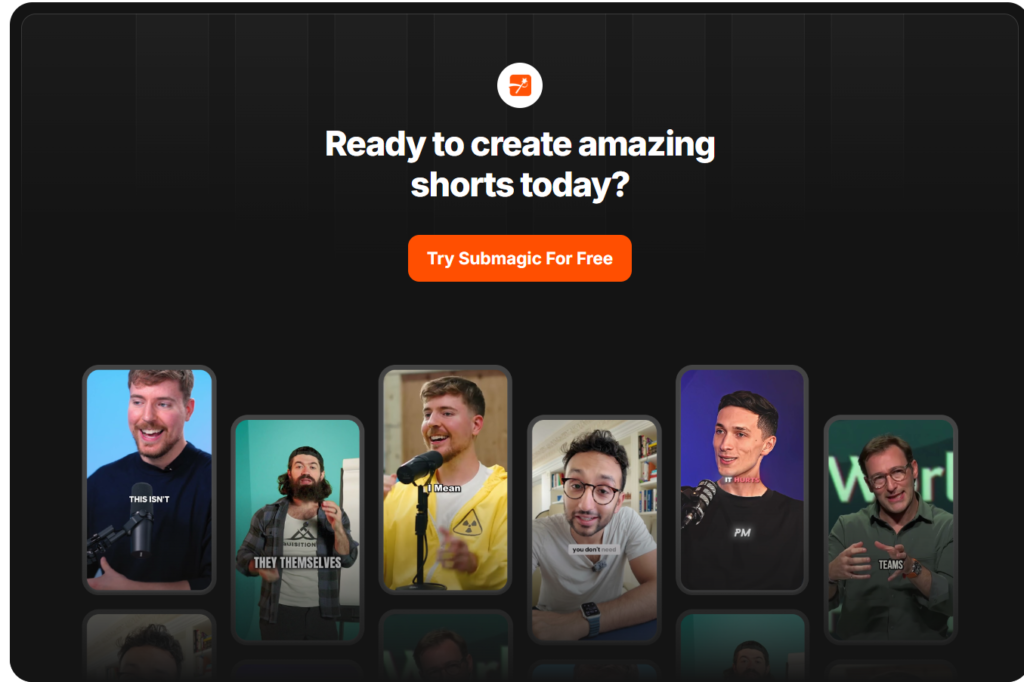
Ready to experience that “aha!” moment yourself? See how easy captions can be: Try Submagic’s AI Captions Now!
My Deep Dive: How Submagic Features Empower Faceless Creators
Submagic quickly became the cornerstone of my workflow. Let me break down the specific features that made such a monumental difference, turning frustration into a smooth, creative flow:
1. AI-Powered Captions That Command Attention
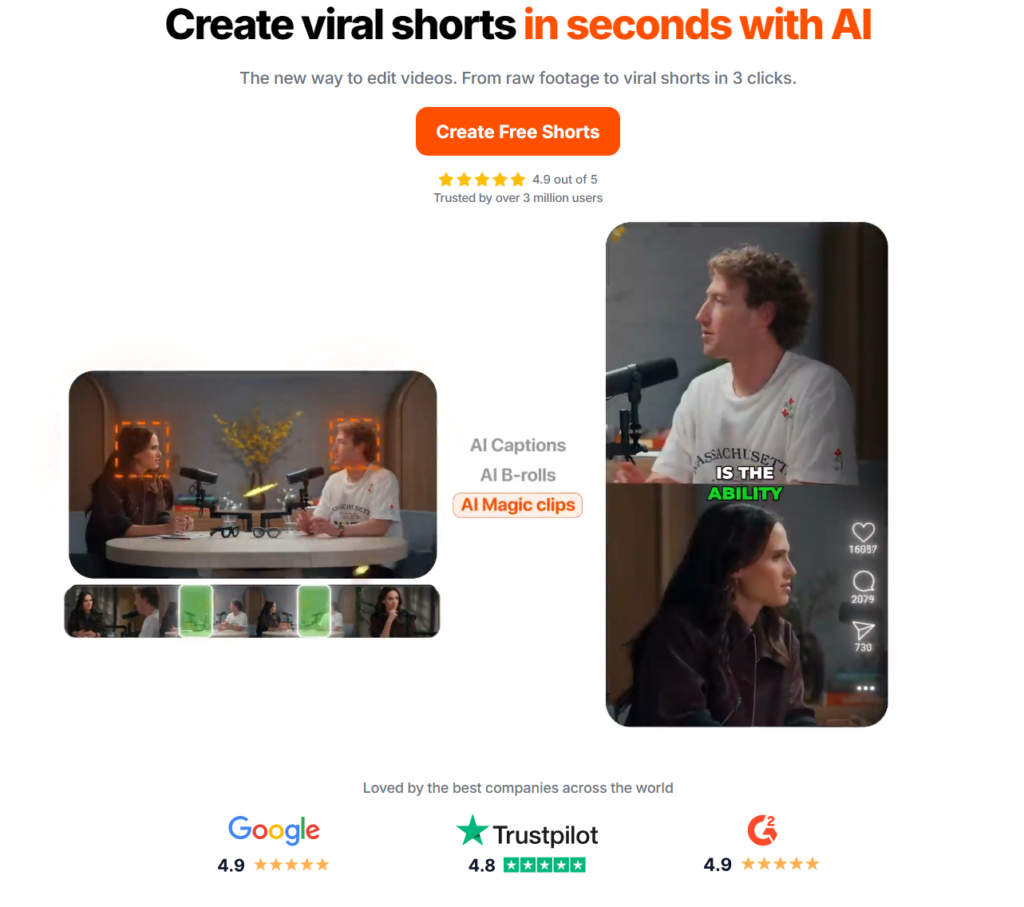
As I mentioned, this was the gateway feature for me. For faceless content, captions aren’t optional – they’re crucial for holding attention, especially on mobile where many watch videos silently. Submagic’s AI captioning is incredibly fast and accurate, saving me literal hours per video. But the real magic is in the customization. You can choose from trendy templates, customize fonts and colors, add dynamic animations (like word-by-word reveals), and even include relevant emojis automatically. This transforms captions from a chore into a creative tool to enhance storytelling and keep eyes glued to the screen. My engagement rates on shorts noticeably increased after implementing Submagic’s dynamic captions.
2. Seamless B-Roll & Stock Footage Integration
Showing, not just telling, is vital when you don’t have a face on camera. Submagic taps into vast libraries of high-quality stock footage and allows you to automatically find and insert relevant B-roll based on your script’s keywords. I remember working on a segment about smartphone battery life. Manually searching for varied clips of phones charging, people looking frustrated at low battery icons, etc., would have taken ages. Submagic suggested and integrated relevant clips almost instantly, adding visual interest and context that elevated the entire segment. It felt like having a professional stock footage researcher on call.
3. Engaging Visuals: Auto Zooms, Transitions, and Effects
Static shots are the enemy of engagement in faceless videos. Submagic incorporates features like automatic zooms (the “Ken Burns effect”) and smooth transitions between clips. It also sprinkles in subtle animations and effects that add dynamism without being distracting. These seemingly small touches make a huge difference in maintaining viewer interest and giving the video a polished, professional feel. It helps mimic the energy a physical presenter might bring.
4. Trendy Templates and Styles
Starting from scratch on every video is inefficient. Submagic offers a range of pre-built templates designed with current social media trends in mind. These provide a fantastic starting point, ensuring your videos look modern and platform-native. I often pick a template that fits my video’s mood and then customize it to match my channel’s branding. It’s a massive time-saver and ensures visual consistency across my content.
Want to see these features in action? Explore what Submagic can do for your visuals: Check Out Submagic Features
5. Streamlined Workflow & Automation
Beyond individual features, Submagic excels at simplifying the *entire* process. Upload your audio or video, and the AI gets to work: transcribing, captioning, finding B-roll, adding effects based on your chosen style. While you still have full control to tweak and refine, the heavy lifting is automated. This shift from manual grind to AI-assisted creation freed up my time to focus on what truly matters: research, scripting, and developing better content ideas.
My Personal Journey Continued: From Struggle to Strength with Submagic
I vividly recall that first video I produced entirely using Submagic – the productivity hacks tutorial series. Instead of spending a whole weekend editing, I finished it in a single afternoon. The process felt intuitive, even fun. I uploaded the video, slightly nervous but also proud of its professional look. The difference was palpable.
The real challenge I’d always faced was keeping viewers engaged without my face anchoring the video. Submagic directly addressed this. The dynamic captions kept people reading along, the relevant B-roll illustrated my points perfectly, and the subtle zooms and transitions prevented visual monotony. Viewer retention metrics improved. Comments started mentioning the “clean editing” and “helpful visuals.” My subscriber count began to climb steadily. That positive feedback loop was incredibly motivating. Submagic wasn’t just a tool; it felt like a partner in building my channel.
Real-Life Examples: Submagic Empowering Diverse Faceless Channels
It’s not just my story. I’ve seen the impact Submagic has had on others pursuing the faceless route:
- The Financial Advisor Friend: A colleague wanted to share investment tips but valued his privacy immensely. He was hesitant, thinking finance content needed a talking head to build trust. Using Submagic, he started creating a faceless YouTube channel focused on animated explainers and screen recordings, brought to life with clear, engaging captions and relevant stock footage illustrating market trends. His channel took off because the content was accessible, visually appealing, and easy to understand – proving trust can be built through quality and clarity alone.
- The Travel Storyteller: Another creator I know shares incredible travel narratives using stunning stock footage and personal voiceovers. Submagic allows her to quickly add cinematic captions, smooth transitions, and background music, transforming raw footage and narration into immersive travelogues. Her no face YouTube channel lets her share her passion globally without compromising her desire to travel anonymously. Submagic’s efficiency means she spends more time exploring and less time editing.
- The Gaming Tutorial Guru: I connected with a gamer online who creates highly detailed tutorials. Showing intricate gameplay requires precision. He uses Submagic primarily for its sharp, customizable captions and its ability to easily add highlighted zooms on specific parts of the screen during his screen recordings, making complex maneuvers easy to follow. His faceless YouTube shorts demonstrating quick tips are incredibly popular.
These examples highlight Submagic’s versatility across different niches. The common factor? Leveraging its features to create professional, engaging content efficiently.
Inspired by these stories? Start building your own success story: Begin Your Submagic Journey Today!
Why Submagic is an Essential Tool in the Faceless Creator’s Arsenal
Let’s recap why I believe Submagic is indispensable for anyone serious about building a faceless channel:
- Unmatched Efficiency: It drastically cuts down editing time by automating the most tedious tasks like captioning and B-roll sourcing. Time saved is time you can reinvest in content quality.
- Professional Polish, Effortlessly: Access to trendy templates, smooth animations, high-quality stock assets, and customizable captions gives your videos a professional edge, even if you’re not an editing pro.
- Designed for Engagement: Features like dynamic captions, auto-zooms, and easy integration of visuals are specifically geared towards holding viewer attention – critical for faceless content.
- User-Friendly Interface: Despite its powerful AI, the platform is remarkably intuitive and easy to learn, making it accessible for creators of all technical skill levels.
- Optimized for Modern Platforms: It excels at creating content perfect for YouTube Shorts, Instagram Reels, and TikTok, formats where faceless channels often thrive.
My Pro Tips: Getting the Absolute Most Out of Submagic
While Submagic is powerful out of the box, here are a few strategies I’ve adopted to maximize its potential:
- Start with Templates, Then Customize Deeply: Use the pre-made templates as a launchpad, but don’t stop there. Dive into the customization options. Adjust fonts, colors, animation timings, and caption styles to perfectly match your channel’s unique brand and voice.
- Refine Your Scripts for Visual Storytelling: Even though Submagic helps find B-roll, write your scripts with visuals in mind. Think about what images or clips would best illustrate each point. This makes the AI’s job easier and the final result more cohesive.
- Don’t Neglect Audio Quality: Submagic enhances visuals, but your voiceover or background music quality is still paramount. Ensure your audio is clean and clear before uploading it. Great visuals can’t fully compensate for poor audio.
- Leverage Captions Creatively: Experiment with different caption animations and emoji usage. Use captions not just for transcription, but to add personality, emphasize key points, or inject humor. A/B test different styles to see what resonates with your audience.
- Optimize Beyond Submagic: Remember that Submagic is part of the process. Still focus on strong titles, descriptions, tags (using keywords like YouTube faceless channel or your specific niche), and engaging thumbnails to maximize your video’s reach.
More Than Software: The Power of the Submagic Community
One unexpected benefit I discovered was the vibrant community around Submagic. Online forums, social media groups – there are spaces where fellow creators using the tool share tips, showcase their work, troubleshoot issues, and generally inspire each other. Connecting with other faceless creators who understand the unique challenges and opportunities has been incredibly valuable. I remember being stuck on how to best use a specific transition effect, and within an hour, I had several helpful suggestions from the community forum. It adds another layer of support to the journey.
Your Time is Now: Stop Hesitating, Start Creating
If you’ve been sitting on the sidelines, dreaming of starting a YouTube channel but held back by the fear of being on camera or the overwhelm of video editing, I truly believe there’s never been a better time to start. Tools like Submagic have demolished many of the traditional barriers to entry.
Your passion – whether it’s cooking, gaming, history, finance, art, tech, or anything else – deserves an audience. A faceless YouTube channel, powered by the efficiency and creative potential of Submagic, can be your perfect platform. You can focus on sharing what you know and love, letting your content speak for itself, all while maintaining your privacy and sanity!
Ready to finally launch that channel idea?
Unlock Your Creative Potential with Submagic Today!
Conclusion: My Faceless Journey, Transformed by Submagic
Looking back, discovering Submagic was a pivotal moment in my content creation journey. It took the most frustrating, time-consuming parts of video production and made them efficient, even enjoyable. It allowed me to bridge the gap between my ideas and producing polished, engaging videos that connect with viewers – all without ever needing to step in front of the camera.
The growth of my channel, the positive feedback, and the sheer relief of having a streamlined workflow are all testaments to the power of this tool. It empowered me to share my voice confidently while staying true to my desire for anonymity.
If you’re considering the faceless path, or if you’re already on it but struggling with the workload, I can’t recommend Submagic highly enough. Stop letting technical hurdles hold you back.
Are you ready to transform your content creation process and build the faceless channel you’ve been dreaming of?
Join Submagic Now and Make It Happen!
The future of content creation is diverse, and faceless channels are a powerful part of it. Let’s build that future, together.