

![Comparing Eleven Labs, Murf Ai, And Synthesia The Ultimate Guide T [aitoolsandguides.org]](https://aitoolsandguides.org/wp-content/uploads/2025/02/Comparing-Eleven-Labs-Murf-AI-and-Synthesia_-The-Ultimate-Guide-t_-aitoolsandguides.org_-5-96x100.png)

Fliki Review: The AI-Powered Text-to-Video Revolution
-
- April 12, 2025

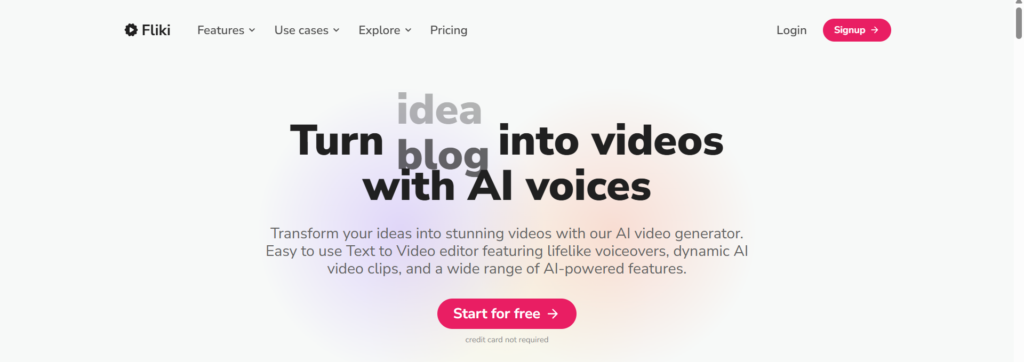
In the dynamic landscape of content creation, video reigns supreme. Its ability to captivate, inform, and persuade is unparalleled. However, the traditional path to video production is often riddled with obstacles: time constraints, budget limitations, and the technical complexities of editing. I’ve navigated these challenges firsthand, and I understand the need for efficient and accessible video creation tools.
Enter AI video generators – a groundbreaking technology that’s transforming how we create videos. Among these innovative platforms, Fliki has truly impressed me with its unique approach to converting text into engaging videos with lifelike voiceovers. In this comprehensive review, I’ll share my experiences with Fliki, explore its features and benefits, and explain why I believe it’s a game-changer for content creators across various industries.
We’ll delve into the specifics of Fliki’s text-to-video functionality, its remarkable selection of AI voices, and its intuitive user interface. I’ll also provide practical examples of how Fliki can be used in real-world scenarios. To offer a broader perspective, I’ll compare Fliki with other notable video generation tools like Pictory, InVideo, Synthesia, and Lumen5, highlighting Fliki’s distinct advantages. Whether you’re a seasoned marketer, a dedicated educator, a passionate blogger, or simply someone who wants to create compelling videos with ease, this review will equip you with the knowledge to make an informed decision.
The Ever-Evolving Video Landscape
Video has become an indispensable tool for communication and engagement. From marketing campaigns and educational content to social media stories and personal vlogs, video’s versatility is undeniable. I’ve witnessed its power to capture attention, convey complex information, and evoke emotions in ways that other media formats simply can’t match.
However, the traditional video production process can be a significant hurdle. It often involves a series of time-consuming and costly steps:
- Scriptwriting: Crafting a compelling and concise script.
- Voiceover Recording: Hiring voice actors or setting up recording equipment.
- Filming: Capturing footage or sourcing stock videos.
- Editing: Assembling footage, adding music, and applying effects.
These challenges can make video creation inaccessible to many individuals and businesses, especially those with limited resources. This is where AI video generators step in to level the playing field.
Unveiling Fliki: AI-Powered Video Creation
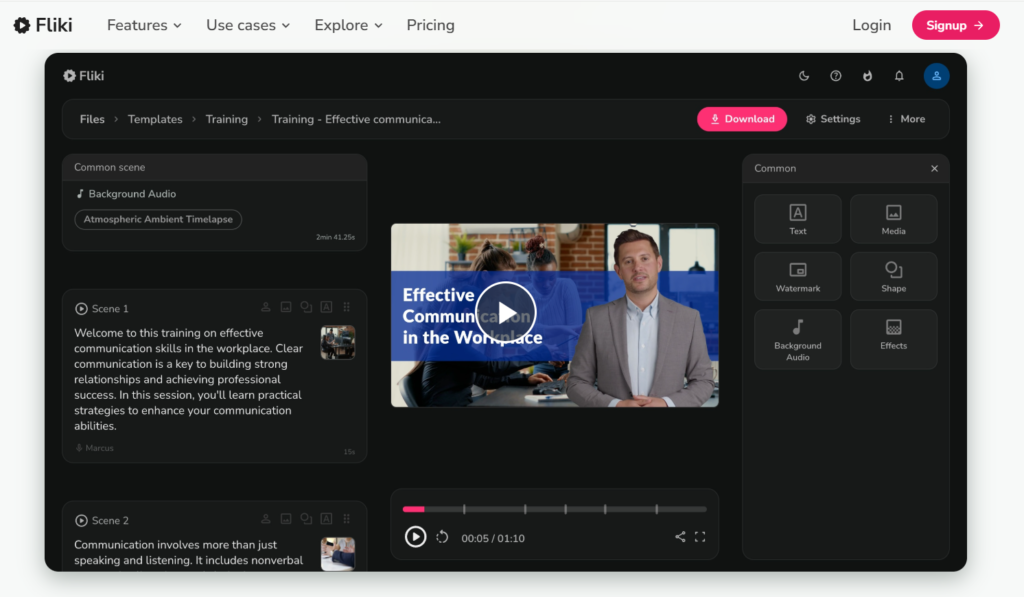
Fliki is an innovative AI-powered platform that simplifies the video creation process by converting text into engaging videos with lifelike voiceovers. It stands out from other video generation tools due to its exceptional focus on the quality and naturalness of its AI voices.
At its core, Fliki combines two powerful technologies:
- Text-to-Speech (TTS): Fliki uses advanced TTS technology to generate realistic voiceovers from written text.
- AI Video Generation: Fliki leverages AI algorithms to automatically create videos from text, incorporating relevant visuals and animations.
This combination allows users to create professional-quality videos quickly and efficiently, without the need for traditional video production methods.
Exploring Fliki’s Key Features
Fliki offers a comprehensive set of features designed to streamline video creation:
- Text to Video Conversion:
- I can input various forms of text, including blog posts, articles, scripts, presentations, and even social media updates.
- Fliki’s AI analyzes the text and automatically selects relevant visuals from its extensive media library to create a video.
- This feature significantly reduces the time and effort required to find appropriate visuals for my videos.
- Lifelike AI Voices:
- Fliki boasts an impressive selection of AI voices that sound incredibly natural and human-like.
- I can choose from a diverse range of voices, including different genders, accents, and tones, to match the style and purpose of my video.
- The AI voices convey emotion and intonation effectively, making my videos more engaging and impactful.
- Vast Media Library:
- Fliki provides access to a rich library of stock photos, video clips, and music tracks.
- This ensures that I can find suitable visuals and audio to enhance my videos without having to source them from external sources.
- The media library is regularly updated, providing a constant stream of fresh and relevant content.
- Customization Options:
- Fliki offers a variety of customization options to help me personalize my videos.
- I can customize the layout, fonts, colors, background music, and other visual elements to align with my brand or style.
- This allows me to create videos that are both professional and visually appealing.
- Easy Editing:
- Fliki’s interface is designed to be intuitive and user-friendly, making it easy for anyone to create and edit videos.
- Even if I have no prior video editing experience, I can quickly learn how to use Fliki’s tools and features.
- This accessibility empowers a wider range of individuals and businesses to create high-quality videos.
- Multi-language Support:
- Fliki supports multiple languages, enabling me to create videos for a global audience.
- This feature is particularly valuable for businesses and organizations that need to communicate with diverse audiences.
- I can easily translate my text and generate voiceovers in different languages.
A Deeper Dive into My Fliki Experience
To truly understand the power of Fliki, it’s essential to share some specific examples of how I’ve used it in my own work.
- Creating Explainer Videos:
- I often need to create explainer videos to introduce complex topics or explain processes to my audience.
- Fliki has been instrumental in simplifying this process. I can input my script and Fliki generates a visually engaging video with clear narration, making it easier for my viewers to understand the information.
- The AI voices add a professional touch, ensuring that my explainer videos are both informative and captivating.
- Repurposing Blog Content:
- I have a blog with a wealth of written content that I want to share with a wider audience.
- Fliki allows me to effortlessly repurpose my blog posts into videos, expanding my reach to those who prefer to consume content in video format.
- This has significantly increased the visibility and engagement of my blog content.
- Generating Social Media Videos:
- Creating engaging videos for social media platforms can be time-consuming.
- Fliki helps me quickly generate eye-catching videos from text snippets or social media posts, saving me valuable time and effort.
- The ability to customize the videos to fit different social media formats is a huge plus.
- Developing Training Materials:
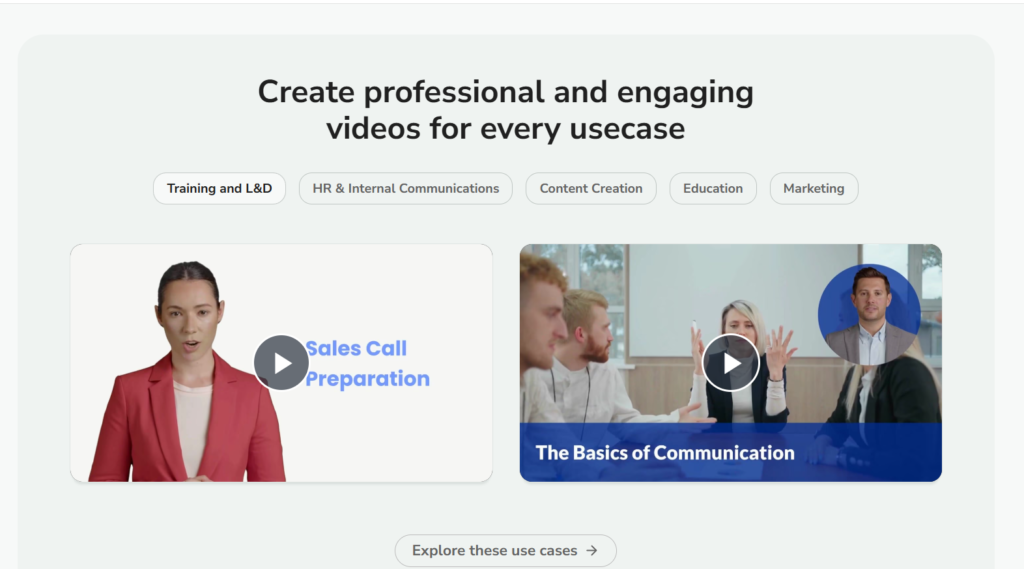
- I’ve used Fliki to create training videos for onboarding new team members and explaining company policies.
- Fliki’s clear AI voices ensure that the training materials are easy to understand, and the visuals help to reinforce the key concepts.
- This has made the training process more efficient and effective.
These are just a few examples of how I’ve incorporated Fliki into my workflow. Its versatility and ease of use make it a valuable tool for a wide range of video creation needs.
Fliki in Comparison: Exploring Alternatives
While Fliki excels in text-to-video conversion and AI voiceovers, it’s important to consider other AI video generators to find the best fit for your specific requirements. Here’s a brief comparison of Fliki with some of its main competitors:
- Pictory:
- Pictory focuses on repurposing long-form written content, such as blog posts and articles, into short, shareable video clips.
- It’s particularly useful for content marketers who want to extract highlights from their written content and create engaging social media videos.
- However, Pictory may not be as versatile as Fliki for creating other types of videos, such as explainer videos or training materials.
- InVideo:
- InVideo provides a wide array of templates and customization options, making it suitable for creating marketing videos, promotional videos, and social media content.
- It offers a more hands-on approach to video editing, allowing users to fine-tune various aspects of their videos.
- While InVideo offers AI voice capabilities, they may not be as advanced or as natural-sounding as Fliki’s AI voices.
- Synthesia:
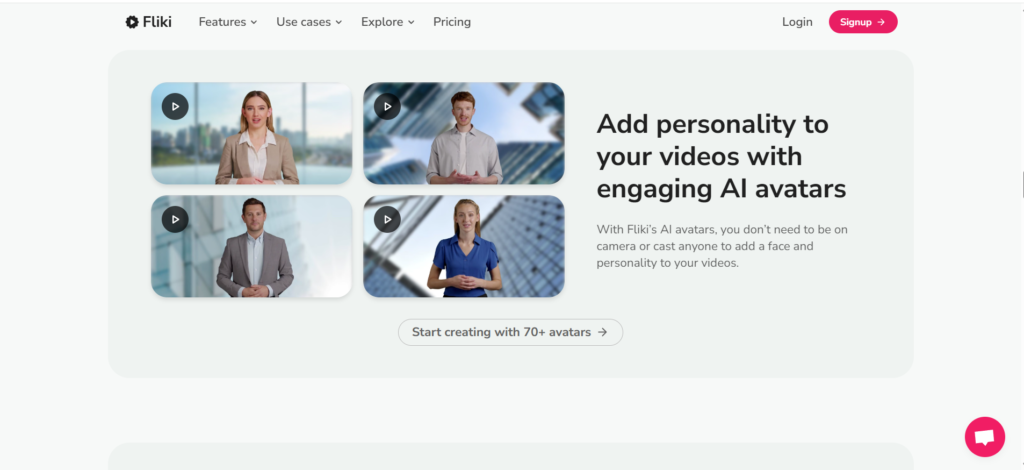
- Synthesia specializes in creating videos with AI avatars that deliver your message.
- It’s particularly well-suited for creating training videos, corporate communication videos, and personalized videos.
- However, Synthesia’s focus on AI avatars may not be ideal for all video types, and it may not offer the same level of text-to-video versatility as Fliki.
- Lumen5:
- Lumen5 is designed to create social media videos from blog posts, articles, and other written content.
- It simplifies the process of transforming written content into visually appealing videos for social media platforms.
- While Lumen5 is easy to use, it may lack the advanced features and customization options of Fliki.
Comparison Table: A Side-by-Side View
To provide a clear and concise comparison, here’s a table summarizing the key differences between Fliki and its alternatives:
| Feature | Fliki | Pictory | InVideo | Synthesia | Lumen5 |
|---|---|---|---|---|---|
| Best For | Versatile text-to-video with lifelike voiceovers | Repurposing long-form content for social media | Marketing and promotional videos with customization | Training and corporate videos with AI avatars | Quick social media videos from written content |
| AI Voices | Exceptional, highly realistic and expressive | Good, suitable for narration | Decent, improving but can sound robotic | AI avatars with varying degrees of realism | Basic, limited options |
| Ease of Use | Intuitive and user-friendly for all skill levels | Simple and straightforward for quick repurposing | Moderate, requires some learning for advanced features | Moderate, requires some familiarity with AI avatars | Very easy, designed for quick social media creation |
| Customization | Good, offers control over visuals and branding | Limited, focuses on automated video creation | Extensive, wide range of templates and editing tools | Moderate, customization of avatars and backgrounds | Limited, basic customization for social media |
| Primary Focus | Text-to-video conversion with high-quality voiceovers | Content repurposing and social media video creation | Marketing and promotional video production | AI avatar video creation for communication | Social media video creation from written content |
The Distinct Advantages of Fliki
While each AI video generator has its strengths, Fliki stands out for several compelling reasons:
- Unparalleled AI Voice Quality:
- Fliki’s AI voices are truly exceptional. They go beyond simply sounding “good” – they convey emotion, intonation, and natural speech patterns, making the videos feel more authentic and engaging.
- This is a crucial differentiator, as poor-quality AI voices can detract from the overall viewing experience and undermine the credibility of the content.
- I’ve found that Fliki’s AI voices are so realistic that viewers often can’t tell they’re not listening to a human narrator.
- Seamless Text-to-Video Workflow:
- Fliki streamlines the entire process of turning written content into videos. From inputting the text to generating the final video, the workflow is intuitive and efficient.
- This saves me a significant amount of time and effort compared to traditional video production methods, where I would have to juggle multiple tools and tasks.
- Fliki’s automation allows me to focus on the creative aspects of video creation


![Comparing Eleven Labs, Murf Ai, And Synthesia The Ultimate Guide T [aitoolsandguides.org]](https://aitoolsandguides.org/wp-content/uploads/2025/02/Comparing-Eleven-Labs-Murf-AI-and-Synthesia_-The-Ultimate-Guide-t_-aitoolsandguides.org_-5-490x550.png)