

Nightcafe AI: Your Ultimate Guide to Creating Stunning AI Art
-
- April 12, 2025

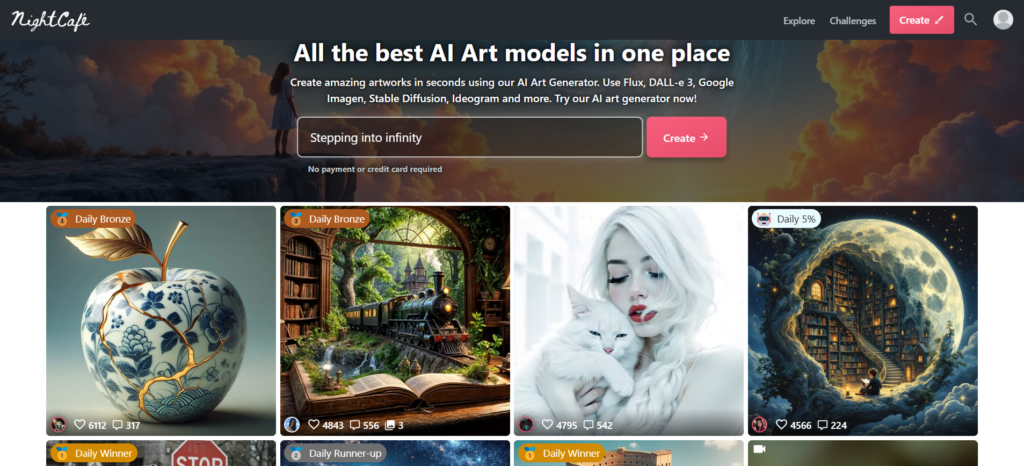
Have you ever dreamt of painting like Van Gogh, sculpting like Michelangelo, or conjuring up fantastical landscapes that exist only in your imagination? Well, buckle up, because Nightcafe AI is about to turn those dreams into vivid reality. I’m not exaggerating when I say this platform has revolutionized my creative process, and I’m thrilled to share everything I’ve learned with you in this in-depth Nightcafe AI tutorial.
In this guide, we’ll explore the wonders of Nightcafe Studio, the incredible Nightcafe creator community, and how you can harness the power of the Nightcafe to generate breathtaking Nightcafe AI art. We’ll delve into the nuances of crafting compelling prompts and unlock the secrets to creating everything from photorealistic images to abstract masterpieces. Whether you’re a seasoned artist or a complete beginner, I’ll show you how to navigate the exciting world of Nightcafe AI and create images you never thought possible.
What is Nightcafe AI?
At its core, Nightcafe AI is an online platform that puts powerful AI art generation tools at your fingertips. It’s a night cafe ai art generator and a night cafe ai image generator that allows you to create artwork from scratch using artificial intelligence. What sets it apart is its accessibility and the sheer variety of AI art algorithms it offers.
Unlike some platforms that focus on a single style, Nightcafe Studio gives you access to multiple AI methods. You can experiment with:
- Stable Diffusion: Known for its versatility and ability to produce highly detailed images.
- DALL-E 2: Excels at creating imaginative and surreal compositions.
- VQGAN+CLIP: A powerful combination that can generate stunningly unique and often abstract visuals.
- Neural Style Transfer: Lets you apply the style of famous artworks to your own images.
In my own experience, this variety is a game-changer. I love how I can switch between algorithms to achieve completely different effects. One day I might be generating photorealistic portraits with Stable Diffusion, and the next, I’m lost in creating abstract art with VQGAN+CLIP. The possibilities within the Nightcafe truly feel endless.
Getting Started with Nightcafe Studio
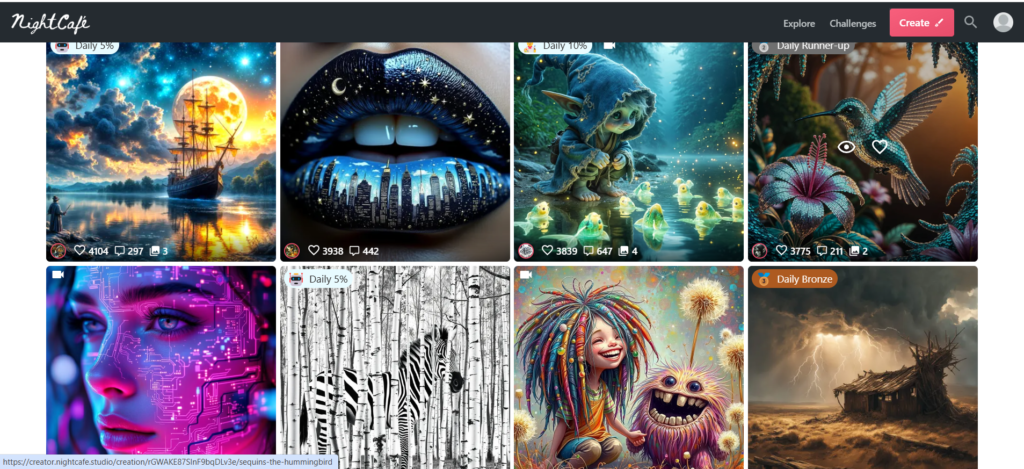
Let’s dive into how you can start creating your own Nightcafe AI art. The process is surprisingly user-friendly:
- Create an Account: Head over to the Nightcafe Studio website and sign up. The platform offers a free tier, which is fantastic for experimenting and getting a feel for the tools.
- Choose an Algorithm: Select the AI art generation method you want to use. As I mentioned, each one has its own strengths and characteristics.
- Craft Your Prompt: This is where the magic happens! Your prompt is the text description you give to the AI, telling it what kind of image to create. I’ll go into prompt engineering in detail later, but for now, think of it as writing a short story for a visual artist.
- Adjust Settings (Optional): Nightcafe AI offers various settings you can tweak, such as the style, aspect ratio, and number of images to generate.
- Hit “Create”: Watch as the AI works its magic and brings your vision to life!
My First Creation
I still remember the thrill of generating my very first image on Nightcafe creator. I typed in the prompt, “A majestic tiger drinking from a crystal-clear stream in a vibrant jungle,” and hit “Create.” The results were astonishing! The AI conjured up four unique images, each with its own personality. The tiger’s fur seemed to shimmer, the water looked incredibly realistic, and the jungle teemed with life. I was hooked.
The Art of Prompt Engineering: Unleashing the Power of Nightcafe AI
Now, let’s talk about the heart of Nightcafe AI creation: prompt engineering. This is where your creativity truly shines. A well-crafted prompt can make all the difference between a good image and a stunning image.
Think of Nightcafe creator as a collaboration between you and the AI. You provide the vision, and the AI brings it to life. The more detailed and evocative your vision, the better the result.
Here are some tips I’ve learned over time:
- Be Specific: Don’t just say “a cat.” Say “a fluffy Persian cat with blue eyes, sitting on a velvet cushion.” The more details you give, the more accurately the night cafe ai art generator can interpret your request.
- Use Descriptive Adjectives: Instead of “a flower,” try “a vibrant, iridescent flower with delicate petals.” Adjectives add color, texture, and emotion to your prompts.
- Specify the Style: Do you want a photorealistic image, a painting, a sketch, or something else? You can specify art styles like “Impressionist,” “Surrealist,” or “Cyberpunk.”
- Mention Artists: If you admire a particular artist’s style, you can include their name in your prompt. For example, “A landscape painting in the style of Monet.”
- Consider Lighting and Composition: Think about how you want your image to be lit and composed. Use phrases like “golden hour,” “dramatic lighting,” “close-up,” or “wide shot.”
- Experiment with Keywords: Don’t be afraid to try different keywords and phrases. Sometimes, unexpected combinations can lead to amazing results.
Prompt Examples to Get You Started
Nightcafe AI Prompt Examples
| Category | Prompt Example | Style/Algorithm Notes |
|---|---|---|
| Basic Scene | “A cozy cottage in a snowy forest, warm firelight glowing from the windows.” | General scene setting; good for starting points. |
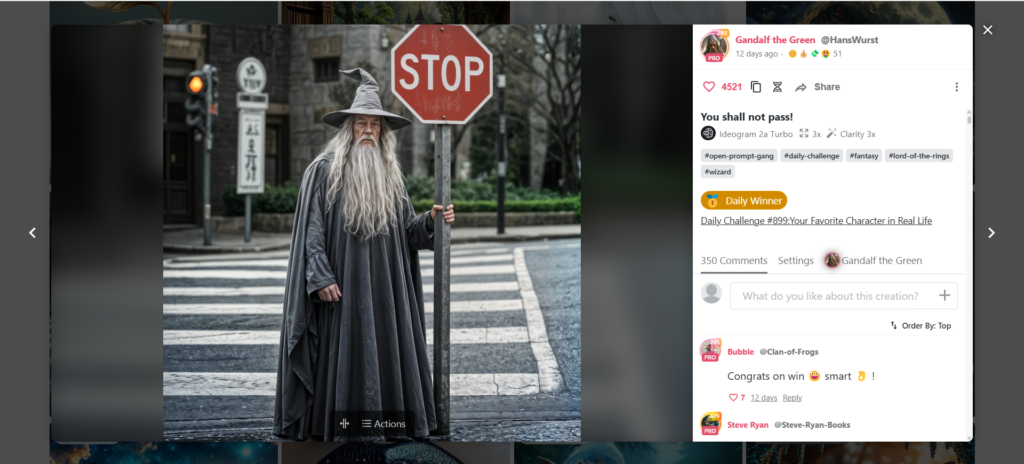
| Character Portrait | “A photorealistic portrait of a wise old wizard with a long white beard and a pointed hat.” | Focuses on a specific character; use adjectives to enhance detail. |
| Landscape | “A breathtaking vista of a canyon at sunset, with vibrant orange and purple hues.” | Emphasizes natural scenery; consider lighting and time of day. |
| Abstract Art | “A swirling vortex of colors, with hints of gold and silver, creating a sense of cosmic energy.” | Ideal for VQGAN+CLIP; experiment with abstract concepts. |
| Stylized Art | “A portrait of a cat in the style of Van Gogh, with swirling brushstrokes and vibrant colors.” | Use “in the style of” to mimic artists; try different art movements. |
| Photorealistic | “A hyperrealistic photograph of a dewdrop clinging to a spider web in the morning.” | Use keywords like “photorealistic,” “hyperrealistic,” “8k,” “detailed.” |
| Fantasy | “A majestic dragon soaring over a medieval castle, with dramatic lighting and stormy clouds.” | Embrace mythical creatures and fantastical settings. |
| Sci-Fi | “A futuristic cityscape with flying vehicles, neon lights, and towering skyscrapers.” | Explore cyberpunk, space opera, and other sci-fi themes. |
| Architectural | “A detailed rendering of a modern minimalist house with clean lines and large windows.” | Specify architectural styles and materials. |
| Lighting Emphasis | “A portrait of a woman with dramatic rim lighting, creating a sense of mystery.” | Use terms like “golden hour,” “soft light,” “neon lights,” “backlit.” |
| Color Palette | “A landscape painting with a limited palette of blues, greens, and yellows, creating a serene atmosphere.” | Specify colors to control the mood and aesthetic. |
| Emotional Tone | “A melancholic scene of a rainy city street at night, with reflections in puddles.” | Use adjectives that convey feelings like “joyful,” “sad,” “mysterious.” |
Key Prompting Tips to Remember:
- Specificity: The more detail, the better.
- Keywords: Use strong adjectives and nouns.
- Style: Specify art styles or artists.
- Experimentation: Try different combinations.
- Iteration: Refine your prompts based on results.
I hope this table helps you in your Nightcafe AI creations!
My Prompting Workflow
My own process for crafting prompts in the Nightcafe often involves several iterations. I start with a basic idea, generate an initial set of images, and then refine my prompt based on the results. I might add more details, adjust the style, or change the composition. It’s a collaborative dance between me and the night cafe ai image generator, and it’s incredibly rewarding.
Ready to unleash your inner artist? Try Nightcafe AI today and start creating your own stunning artwork!
Exploring Nightcafe Studio’s Advanced Features
Beyond basic image generation, Nightcafe Studio offers a range of advanced features that can take your creations to the next level. Let’s explore some of my favorites:
- Style Transfer: This feature allows you to apply the style of one image to another. Imagine turning a photograph into a Van Gogh painting or giving your portrait the dramatic flair of a Caravaggio. I’ve used style transfer to create unique variations of my photos, and the results are always fascinating.
- Text-to-Image with Control: Newer Nightcafe AI features are giving more control over the image generation process, allowing for more precise results.
- Image Upscaling: Nightcafe AI allows you to increase the resolution of your generated images, making them suitable for printing or displaying on high-resolution screens. This is incredibly useful when you want to showcase your artwork in its full glory.
- Batch Creation: If you need to generate multiple images at once, Nightcafe Studio has you covered. This is a time-saver when you’re creating a series of artworks or experimenting with different variations of a prompt.
- Community Features: The Nightcafe boasts a vibrant and supportive community of artists and creators. You can share your artwork, get feedback, and discover new techniques. I’ve learned so much from interacting with other users and seeing their incredible creations.
Real-Life Examples: How I Use Nightcafe AI
Let me share a few specific examples of how I’ve incorporated Nightcafe AI into my creative projects:
- Creating Visuals for My Blog: I use Nightcafe AI to generate eye-catching images for my blog posts. Instead of relying on generic stock photos, I can create unique visuals that perfectly complement my content. This has significantly increased reader engagement.
- Designing Social Media Graphics: The night cafe ai art generator is a fantastic tool for creating attention-grabbing graphics for social media. I’ve designed everything from promotional banners to inspirational quotes, all with a distinct and artistic flair.
- Generating Concept Art: As a hobbyist game developer, I use Nightcafe creator to generate concept art for my projects. It’s incredibly helpful for visualizing characters, environments, and objects. It speeds up my workflow and helps me explore different creative directions.
- Personal Artistic Expression: Most importantly, I use Nightcafe AI for my own personal artistic expression. It’s a way for me to explore my imagination, experiment with different styles, and create beauty for the sake of creating.
The Nightcafe Community: A Source of Inspiration and Support
I can’t emphasize enough how valuable the Nightcafe community has been on my AI art journey. It’s a place where you can:
- Share your creations: Get feedback and appreciation for your artwork.
- Discover new techniques: Learn from experienced artists and creators.
- Find inspiration: See the incredible things that others are creating with Nightcafe AI.
- Connect with like-minded individuals: Make friends and collaborate on projects.
I’ve received so much helpful advice and encouragement from the Nightcafe creator community. It’s a truly special place that fosters creativity and collaboration.
Tips for Mastering Nightcafe AI
Here are some final tips to help you become a Nightcafe AI master:
- Practice Regularly: The more you use Nightcafe Studio, the better you’ll become at crafting prompts and using the various features.
- Experiment Fearlessly: Don’t be afraid to try new things and push the boundaries of your creativity.
- Learn from Others: Pay attention to the techniques and prompts that other artists are using.
- Stay Updated: Nightcafe AI is constantly evolving, so keep an eye out for new features and updates.
- Have Fun! Most importantly, enjoy the process of creating. AI art is a journey of discovery, so embrace the unexpected and celebrate your successes.
Join the Nightcafe community today and connect with fellow AI art enthusiasts!
The Future of AI Art and Nightcafe AI
I believe that Nightcafe AI and AI art, in general, are poised to revolutionize the creative landscape. As AI technology continues to advance, we can expect even more powerful and intuitive tools that will empower artists and creators in unprecedented ways.
I envision a future where AI art is seamlessly integrated into various fields, from design and marketing to entertainment and education. The Nightcafe is at the forefront of this exciting movement, and I’m thrilled to be a part of it.
My Final Thoughts
Nightcafe AI has opened up a world of creative possibilities that I never thought possible. It’s a tool that empowers me to express myself in new and innovative ways, and I’m incredibly grateful for the journey it has taken me on.
I encourage you to explore the wonders of Nightcafe Studio for yourself. Whether you’re a seasoned artist or a complete beginner, I believe you’ll find something truly magical within the Nightcafe.