

Filmora vs. Capcut Video Editor: My Personal Journey
-
- February 25, 2025

I still vividly remember the thrill of embarking on my video editing journey. The digital world was exploding with creative content, and I felt this undeniable urge to contribute. It was like standing at the edge of a vast, uncharted territory, brimming with potential. My first steps into this exciting realm led me to two powerful tools: Capcut Video Editor and Wondershare Filmora. I dedicated countless hours to exploring every nook and cranny of these platforms. I’ve edited everything from quick social media snippets to more elaborate short films. Through this hands-on experience, I’ve gained a wealth of insights, and I’m eager to share them with you to simplify your decision-making process.
Delving into Capcut Video Editor
Simplicity Meets Functionality
My initial encounter with Capcut Video Editor was a breath of fresh air. As an online video editor, it eliminates the hassle of downloads and installations. I could jump straight into editing from any device with an internet connection. The interface struck me as remarkably clean and intuitive. As someone who was just beginning to dip my toes into the world of video editing, I found Capcut’s simplicity incredibly reassuring.
Key Features I Loved:
- Intuitive Interface: Navigating Capcut felt natural and seamless. The tools were arranged logically, preventing me from feeling overwhelmed by a sea of unnecessary options.
- Basic Editing Tools: For those quick and essential edits, Capcut provided everything I needed. Trimming clips, adding background music, and applying filters were straightforward and efficient.
- Creative Filters and Effects: I had a lot of fun experimenting with Capcut’s diverse selection of filters and transitions. They allowed me to inject flair into my videos with minimal effort, enhancing their visual appeal.
Real-Life Application
Capcut became my go-to tool when I needed to quickly compile a birthday video for a close friend. Time was of the essence, but Capcut’s efficient video editing functionality allowed me to craft a heartfelt montage in just a few hours. The online accessibility was a game-changer, as I could utilize my spare moments during work breaks to edit without the need for any software installations.
Accessibility
Capcut’s accessibility is, without a doubt, one of its standout advantages. As an online movie editor, it granted me the freedom to access my projects from various devices. Whether I was working on my laptop, tablet, or even a borrowed computer, my work was always readily available.
Exploring the Depths of Wondershare Filmora
Unleashing Creativity with Advanced Tools
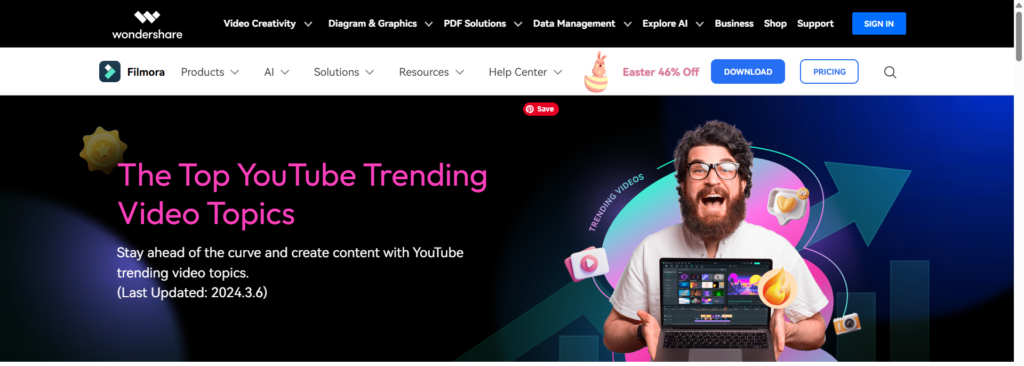
As I gained confidence and my projects grew more ambitious, I felt the need for a tool that could match my evolving creative vision. That’s when I discovered Wondershare Filmora. This powerful software opened up a world of advanced editing capabilities that Capcut simply couldn’t offer. It was like trading in a set of basic tools for a professional-grade workshop.
Features That Impressed Me:
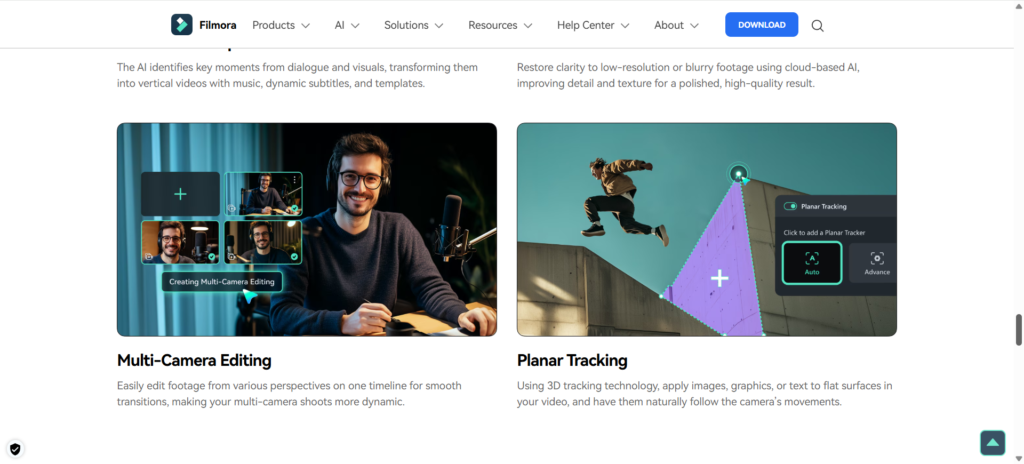
- Advanced Editing Tools: Filmora’s multi-track editing was a revelation. It allowed me to layer videos, images, audio, and effects with incredible precision, creating complex and visually stunning sequences.
- Extensive Effects Library: With over 800 effects, filters, and overlays, Filmora’s creative possibilities seemed limitless. I could transform the mood and style of my videos with just a few clicks.
- Keyframing and Motion Tracking: These features gave me the power to create dynamic animations and track moving objects within my videos. This added a professional and polished touch that truly elevated my work.
- Audio Editing Power: Filmora’s audio mixer and equalizer provided me with granular control over sound. I could fine-tune soundtracks, adjust volumes, and even eliminate unwanted background noise, ensuring crystal-clear audio.
A Project to Remember
I’ll never forget working on a short promotional video for a local business. Filmora’s advanced capabilities allowed me to incorporate intricate effects and precise edits that significantly enhanced the video’s overall quality. The client was absolutely thrilled with the final result, and I felt an immense sense of pride and accomplishment in my work. It was a turning point that solidified my confidence in Filmora.
Learning Curve and Support
I won’t sugarcoat it—Filmora has a steeper learning curve compared to Capcut. However, Wondershare provides a wealth of resources to guide you along the way. The extensive library of tutorials and responsive customer support made the learning process enjoyable and rewarding. I always felt supported, which greatly boosted my confidence in tackling even the most challenging projects.
Feature-by-Feature Comparison
To give you a clearer picture, here’s a detailed comparison table highlighting the key differences between Capcut and Filmora:
| Feature | Capcut Video Editor | Wondershare Filmora |
|---|---|---|
| User Interface | Minimalistic and easy to navigate. Great for beginners. | Feature-rich with customizable layouts. Ideal for advanced users. |
| Editing Tools | Basic tools: trim, cut, merge, and simple adjustments. | Advanced tools: keyframing, motion tracking, color grading. |
| Effects & Transitions | Limited but trendy effects and transitions. | Extensive library with professional-grade effects. |
| Audio Editing | Basic adjustments: volume control, fade in/out. | Advanced editing: equalizer, noise removal, audio mixer. |
| Text & Titles | Simple text overlays with basic customization. | Dynamic titles with animations and rich formatting options. |
| Platforms | Online access via web browsers on any device. | Desktop application for Windows and Mac. Download Filmora |
| Export Options | Standard resolutions with direct sharing to social media. | High-quality exports up to 4K, multiple formats, and devices. Try Filmora |
| Support & Learning | Limited tutorials and community support. | Extensive tutorials, documentation, and responsive customer support. |
| Pricing | Free with basic features, paid options for advanced features. | Subscription-based with a free trial. Get Filmora Now |
| Overall | Good for quick edits and social media content. | Excellent for professional video editing and complex projects. |
My Verdict: Filmora – The Clear Winner
After countless hours of hands-on testing and real-world application, I’m ready to share my personal verdict. While both Capcut and Filmora have their strengths, Wondershare Filmora emerges as the clear winner in my book.
Filmora’s advanced features, extensive creative tools, and unwavering support have empowered me to take my video editing skills to new heights. It’s the tool that has consistently delivered exceptional results, transforming my creative visions into captivating realities.
To reflect my experience, here’s my personal star rating:
| AI Video Tool | Ease of Use | Features | Support | Overall |
|---|---|---|---|---|
| Capcut | ★★★★☆ | ★★★☆☆ | ★★☆☆☆ | ★★★☆☆ |
| Filmora | ★★★★☆ | ★★★★★ | ★★★★★ | ★★★★★ |
Why Filmora Stands Out
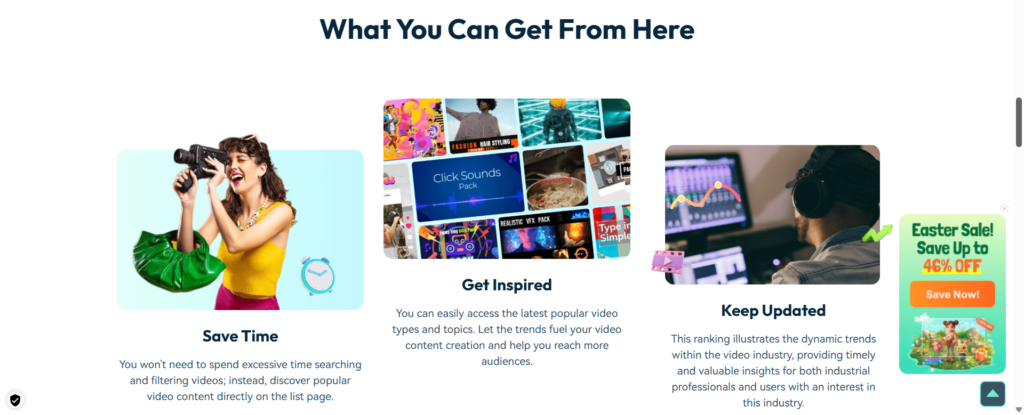
Let’s delve deeper into why Filmora has earned my top recommendation:
Unmatched Creative Power
Filmora’s extensive library of effects, transitions, titles, and audio tools provides a vast canvas for creative expression. Whether I’m aiming for sleek professionalism or vibrant artistic flair, Filmora empowers me to achieve my desired aesthetic with precision and ease.
Professional Polish
Features like keyframing, motion tracking, and advanced color correction enable me to add a level of polish that elevates my videos to a professional standard. These tools give me fine-grained control over every aspect of my video, ensuring a refined and sophisticated final product.
Reliability and Performance
Filmora’s stability and performance have consistently impressed me, even when working with large files and complex projects. The software rarely crashes, and rendering times are impressively fast, allowing me to maintain a smooth and efficient workflow.
Continuous Improvement
Wondershare’s commitment to continuous improvement is evident in Filmora’s regular updates. New features, effects, and optimizations are frequently added, ensuring that the software remains at the forefront of video editing technology.
Who is Filmora Best For?
In my experience, Filmora is the ideal video editing solution for:
- Aspiring Filmmakers: If you’re passionate about storytelling and want to create high-quality films, Filmora provides the tools and capabilities to bring your cinematic visions to life.
- Content Creators: Whether you’re producing YouTube videos, social media content, or online courses, Filmora offers the versatility and power to create engaging and professional videos that captivate your audience.
- Businesses and Marketers: Filmora empowers businesses to create compelling promotional videos, product demos, and marketing campaigns that drive engagement and boost brand awareness.
- Educators: Filmora is an excellent tool for creating educational videos, tutorials, and online lessons that enhance the learning experience.
Capcut: A Solid Starting Point
While Filmora is my top recommendation, I want to acknowledge Capcut’s strengths. It’s a user-friendly and accessible tool that’s perfect for beginners and those who need to make quick edits for social media. If your video editing needs are relatively simple, Capcut can be a great option.
Making the Right Choice for You
Ultimately, the best video editor for you depends on your individual needs, skill level, and budget.
- If you value simplicity and accessibility, and need an online video editor that’s ready whenever inspiration strikes, Capcut might be your ideal companion.
- If you’re aiming to produce professional-quality videos with advanced effects and are willing to invest time to learn, Wondershare Filmora could be the perfect fit. Download Filmora
Final Thoughts
Embarking on the video editing path was one of the most rewarding decisions I’ve made. Both Capcut and Filmora have played significant roles in my growth as a content creator.
So, which one will you choose?
Call to Action
Don’t just take my word for it—try them yourself!
Finding the right tool can make all the difference in your creative journey. Whichever you pick, I hope it brings your visions to life as it did for me…

![Comparing Eleven Labs, Murf Ai, And Synthesia The Ultimate Guide T [aitoolsandguides.org]](https://aitoolsandguides.org/wp-content/uploads/2025/02/Comparing-Eleven-Labs-Murf-AI-and-Synthesia_-The-Ultimate-Guide-t_-aitoolsandguides.org_-5-490x550.png)