


Adobe Firefly: The Ultimate AI Image Generator for Creative Professionals
-
- April 12, 2025

The world of digital content creation is in a state of constant evolution, and I’ve been fortunate enough to witness firsthand the transformative power of AI. Among the many AI tools I’ve explored, Adobe Firefly stands out as a true game-changer, particularly for those of us who demand professional-grade results. I’ve spent countless hours experimenting with Firefly, pushing its boundaries, and integrating it into my creative workflows. In this article, I’ll share my insights, experiences, and in-depth analysis of why I believe Adobe Firefly is the **best AI image generator** available today.
We’ll also briefly touch upon other notable contenders in the AI art space, such as Midjourney, DALL-E 2, and Stable Diffusion, providing a comparative context to further highlight Firefly’s unique strengths. Whether you’re a seasoned graphic designer, a budding digital artist, or a marketer seeking to create stunning visuals, this article will equip you with the knowledge to harness the full potential of **Adobe Firefly**.
The Dawn of a New Era in Image Generation
My journey into AI-powered image generation began with a healthy dose of skepticism. Could a machine truly understand the nuances of artistic expression? Could it capture the subtle interplay of light and shadow, the delicate balance of composition? My initial experiments with various **AI art generators** were a mixed bag. Some produced intriguing results, but often lacked the polish and control I needed for professional projects.
Then I discovered Adobe Firefly. From my first prompt, I knew I was witnessing something special. Firefly’s ability to interpret my creative vision with remarkable accuracy, combined with its seamless integration with the Adobe Creative Suite, opened up a world of possibilities I had only dreamed of. It felt like having a tireless and incredibly talented collaborator by my side, ready to bring my ideas to life in ways I never thought possible.
What is Adobe Firefly?
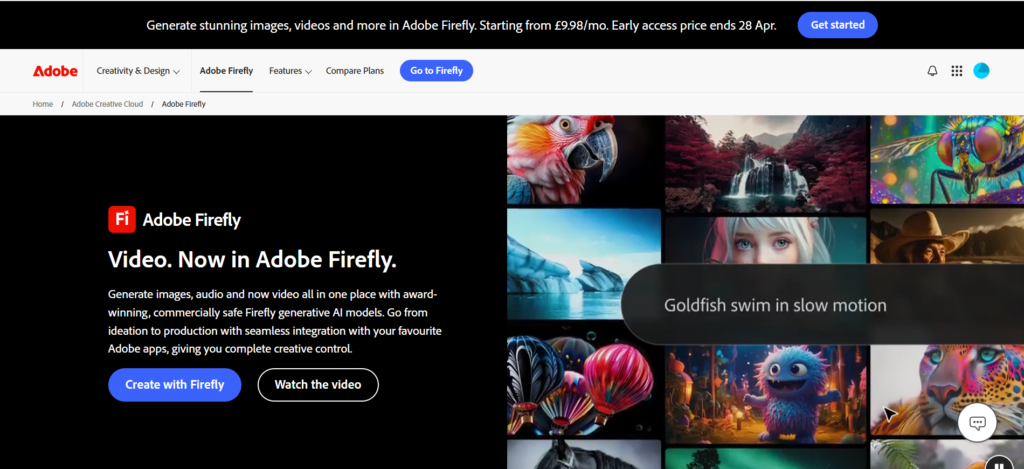
At its core, Adobe Firefly is a family of creative generative AI models developed by Adobe. It’s designed to be deeply integrated into Adobe’s Creative Cloud applications, empowering users to generate images, edit photos, create text effects, and much more, all using simple text prompts. What sets Firefly apart, in my opinion, is Adobe’s commitment to responsible AI development and its focus on meeting the needs of professional creators.
Firefly is trained on a dataset of Adobe Stock images, openly licensed content, and public domain content, which addresses a crucial concern in the AI art world: copyright and ethical sourcing. This commitment to responsible AI gives me confidence that I’m using a tool that respects artists’ rights and promotes fair practices.
Key Features That Make Firefly Shine
Let’s dive into the features that have made Adobe Firefly my go-to **AI image generator**:
- Text to Image: This is the foundation of Firefly’s power. I can simply type a description of the image I want to create, and Firefly will generate multiple variations in seconds. The accuracy and detail are consistently impressive.
- Generative Fill: This feature has revolutionized my photo editing workflow. I can seamlessly add, remove, or replace elements within an image using text prompts. It’s like having a magic wand for Photoshop!
- Text Effects: Firefly allows me to create stunning and unique text effects with ease. I can apply various styles, textures, and transformations to text, adding a professional touch to my designs.
- Generative Recolor: This feature lets me quickly explore different color palettes for my artwork. I can change the colors of a vector graphic or a photograph with simple text commands.
- Integration with Creative Cloud: This is where Firefly truly shines for professionals like me. Its seamless integration with Photoshop, Illustrator, and other Adobe apps streamlines my workflow and allows me to refine AI-generated content with the tools I already know and love.
My Personal Journey with Adobe Firefly
I’ll never forget the first time I used Firefly’s Generative Fill. I was working on a product mockup for a client, and I needed to remove a distracting background element from a photograph. In the past, this would have involved tedious masking and cloning in Photoshop, often with less-than-perfect results.
With Firefly, I simply selected the area I wanted to remove, typed “remove background,” and within seconds, the background was gone, replaced with a seamless and natural-looking fill. The time I saved was incredible, and the quality of the result was far superior to anything I could have achieved manually. That’s when I realized that Firefly wasn’t just another **AI image generator**; it was a game-changer.
Since then, I’ve integrated Firefly into various projects, from creating eye-catching social media graphics to generating concept art for a short film. Its versatility and power have consistently impressed me.
Adobe Firefly vs. The Competition
While Adobe Firefly is my top choice, it’s important to acknowledge that other excellent **AI art generators** are available. Let’s take a brief look at some of the key competitors:
- Midjourney: Midjourney is known for its artistic and often surreal image generation. It excels at creating imaginative and dreamlike visuals. However, it can sometimes be less precise than Firefly in interpreting specific prompts.
- DALL-E 2: DALL-E 2 is another strong contender, offering impressive image generation capabilities. It’s particularly good at creating realistic images from text. However, its integration with existing creative workflows is not as seamless as Firefly’s.
- Stable Diffusion: Stable Diffusion is an open-source model that offers a high degree of flexibility and customization. It’s a powerful tool for those with technical expertise. However, it can be more challenging to use than Firefly for those who prefer a more user-friendly experience.
Comparison Table: Adobe Firefly and Alternatives
To provide a clearer comparison, here’s a table summarizing the key differences:
| Feature | Adobe Firefly | Midjourney | DALL-E 2 | Stable Diffusion |
|---|---|---|---|---|
| Best For | Professional workflows, seamless integration with Adobe Creative Suite | Artistic and imaginative creations | Realistic image generation | Highly customizable, for users with technical expertise |
| Image Quality | Excellent, highly detailed and professional | Excellent, artistic and stylized | Excellent, realistic | Excellent, but requires fine-tuning |
| Ease of Use | Very Easy | Easy | Easy | Challenging |
| Integration | Seamless with Adobe Creative Cloud apps | Discord-based | Web-based API | Open-source, requires setup |
| Control over Output | High, precise control | Moderate, can be less predictable | High | Very High, highly customizable |
| Ethical Considerations | Trained on ethically sourced data, promotes responsible AI | Varies, ongoing discussions | Varies, ongoing discussions | Varies, depending on implementation |
Why I Believe Adobe Firefly is the Best
In my experience, Adobe Firefly consistently outperforms other **AI image generators** in several key areas:
- Professional Quality: Firefly delivers images that meet the rigorous standards of professional creators. The detail, resolution, and overall quality are consistently excellent.
- Seamless Integration: Firefly’s deep integration with Adobe Creative Cloud apps streamlines my workflow and allows me to refine AI-generated content with the tools I’m already proficient in. This is a huge time-saver and productivity booster.
- Precise Control: Firefly gives me a high degree of control over the creative process. I can fine-tune my prompts, adjust settings, and iterate quickly to achieve the exact results I’m looking for.
- Ethical AI: Adobe’s commitment to responsible AI development gives me confidence that I’m using a tool that respects artists’ rights and promotes fair practices.
Real-World Applications of Adobe Firefly
The potential applications of Adobe Firefly are vast and diverse. Here are just a few examples:
- Graphic Design: Creating logos, website graphics, marketing materials, and social media content with unparalleled speed and creativity.
- Photography: Enhancing photos, removing unwanted elements, and generating realistic backgrounds.
- Illustration: Generating unique artwork, concept art, and illustrations for books, magazines, and games.
- Product Design: Visualizing product concepts, creating mockups, and generating marketing images.
- Fashion Design: Experimenting with new patterns, textures, and styles, and generating fashion illustrations.
The Future of AI-Powered Creativity
I believe that Adobe Firefly is just the beginning of a profound transformation in the creative landscape. AI is not going to replace artists; instead, it’s going to empower us, augment our abilities, and unlock new levels of creativity. I’m excited to see how Firefly and other **AI image generators** will continue to evolve and shape the future of art and design.
Ready to Unleash Your Creativity?
If you’re ready to experience the power of Adobe Firefly for yourself, I encourage you to explore its capabilities and see how it can transform your creative workflow.